
Add-on for any paid plan · $10/month
All changes TXT’d to your cast and crew
Some people never open the app, and nobody checks email at a fitting. With the TXT messaging add-on, VirtualCallboard texts a changed call, a new note or an open call to everyone who asked for texts. It lands on the phone already in their pocket.
Trusted by theaters, schools and arts organizations since 2006.
![iPhone lock screen showing a VirtualCallboard text: [ADH] Call changed: Rehearsal, Thu 24 Sep 10:00 am to 2:00 pm, with a link to the call](https://www.virtualcallboard.com/wp-content/uploads/2026/10/vcb-txt-lock.jpg "iPhone lock screen showing a VirtualCallboard text: [ADH] Call changed: Rehearsal, Thu 24 Sep 10:00 am to 2:00 pm, with a link to the call")
How it works
1. You change a call time
Move a rehearsal call or post a note in VirtualCallboard, the way you do now.
2. VirtualCallboard texts it
Everyone who turned on TXT gets one short text, alongside their email and app notifications.
3. They tap for the details
The text names the production and says what changed. Most texts link straight to the call or note.
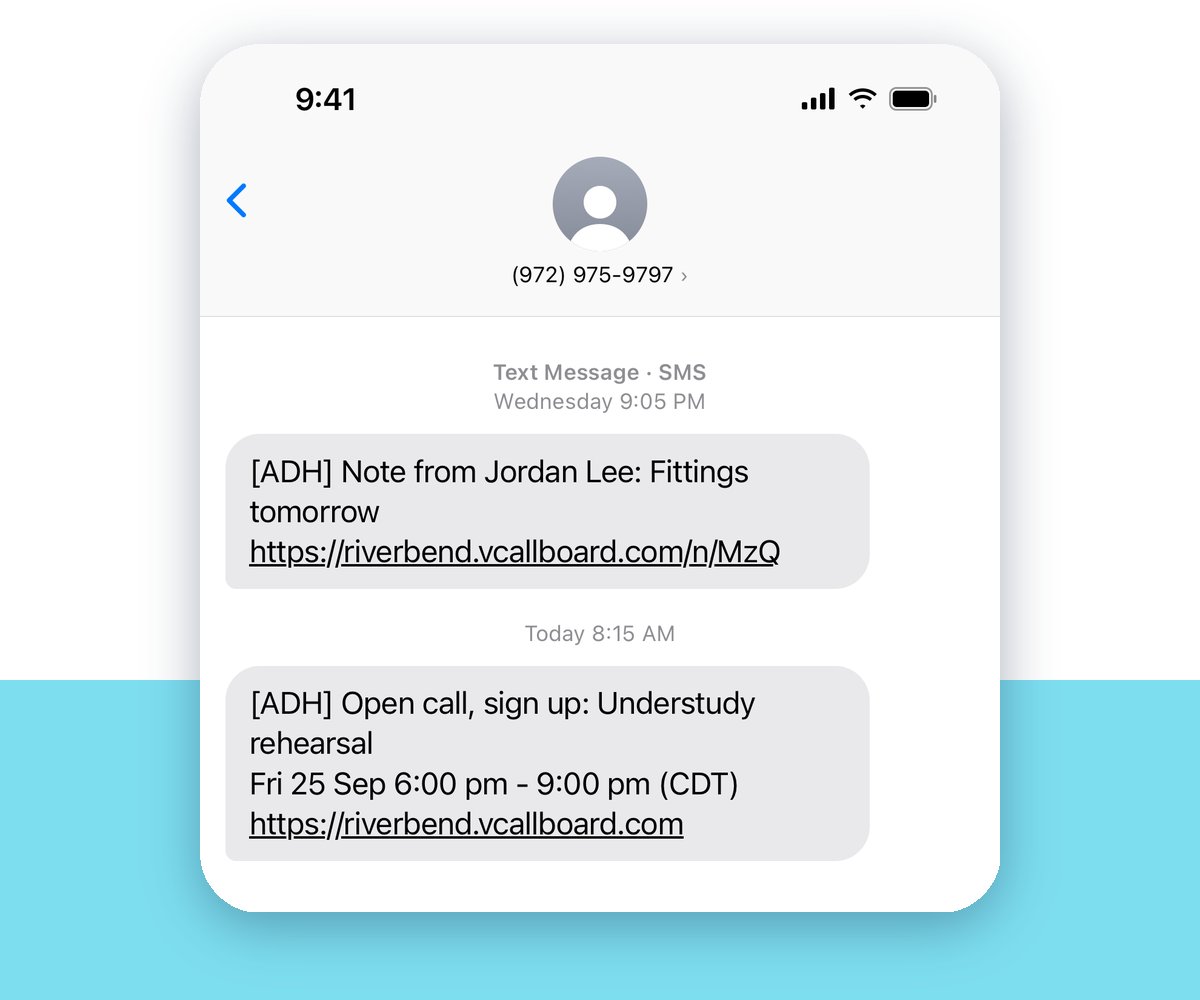
Every important change, by text
Each text is one short message: which production, what happened and, in most cases, a link to the details. These can all send a text:
- New, changed and canceled calls
- Notes and messages
- Open calls to sign up for
- Conflicts
- Comments on reports
- Being added to a production
- Shared files
You decide what gets texted
Admins choose which kinds of notifications can send a text.
Managers decide each time they change a call. Tick Send Notification, and VirtualCallboard shows how many emails, app notifications and texts will go out.
Each person chooses whether their own phone gets texts.
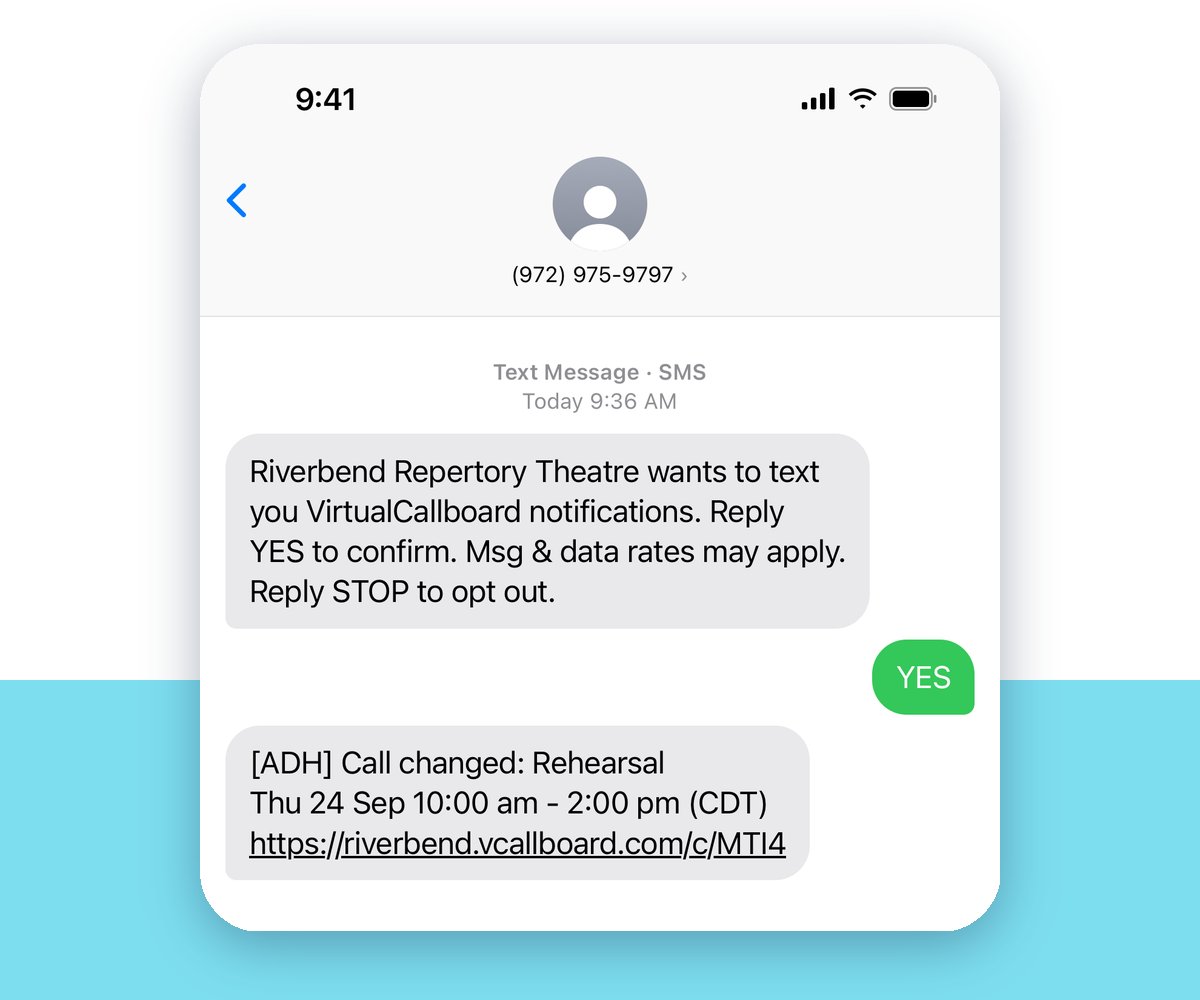
Opt in with YES, out with STOP
Each person turns on TXT for their number in their profile, or an admin does it for them. They reply YES to one confirmation text, and the texts start.
Replying STOP turns off texts from VirtualCallboard on every site. Replying START turns them back on.
One flat price, no per-text fees
$10 a month covers your whole site, however many people turn on texts.
What it costs
- $10/month, or $108/year if your plan is billed annually (10% off)
- Your individual or organization discount applies
- Works with any paid VirtualCallboard plan
- Cancel anytime. Texts stop right away, and the rest of the billing period isn’t refunded.
How to add it
- New customers: tick TXT messaging when you sign up. It works during your free trial.
- Current customers: your billing contact goes to Administration › Invoices/
Payments › Change Subscription Package. - Then each person turns on TXT for their number and replies YES.
Not sure you need it? Site Administration › Notifications shows how many people have already asked for texts.
“Email helps, but TXT/SMS, with the details, was a game changer for us.”
Theater program, charter high school
Good to know
US numbers for now
Texts go to US phone numbers. People with other numbers can still turn on TXT, which tells us where to add texting next.
One sender number
Every text comes from (972) 975-9797, VirtualCallboard’s registered number, and names your production. Save it as a contact.
Replies aren’t read
Reply in VirtualCallboard instead. YES, STOP, START and HELP always work.
Carrier rates may apply
Standard message and data rates from each person’s carrier may apply.
Questions
How much does TXT messaging cost?
$10 a month, or $108 a year if your plan is billed annually. Your individual or organization discount applies. We don’t charge per text.
Who can add it?
Any site on a paid VirtualCallboard plan. Your billing contact adds it under Administration › Invoices/
What happens if we cancel?
Texts stop right away, and the rest of the billing period isn’t refunded. Email and app notifications keep working as before.
Can people outside the US get texts?
Not yet. For now, texts go only to US phone numbers. People can still turn on TXT for a number from another country, and we’ll text it once we support that country.
Can people reply to a text?
No. Replies aren’t read, so people should reply in VirtualCallboard. Four words always work: YES confirms a number, STOP turns texts off, START turns them back on, and HELP gets help.
Do texts work with the mobile apps?
Yes. Texts reach any US phone, with or without the app. For now, people turn on TXT for their number on the website, and managers see the send preview there too.
VirtualCallboard is also built for stage managers, community theaters and schools.
Try it free for 30 days
Tick TXT messaging when you sign up, and texts work during your trial. See every feature or compare plans.