
VirtualCallboard feature
Post it once, and everyone can find it
The parking change, the house rule, the sold-out matinee: some news is for everyone, and it has to be easy to find again next week. VirtualCallboard posts announcements to one production or your whole company, tells everyone it’s up, and takes it down on the date you set.
Trusted by theaters, schools and arts organizations since 2006.
How it works
1. Choose who it’s for
Pick one or more productions, or All Productions to reach everyone on your site.
2. Write it
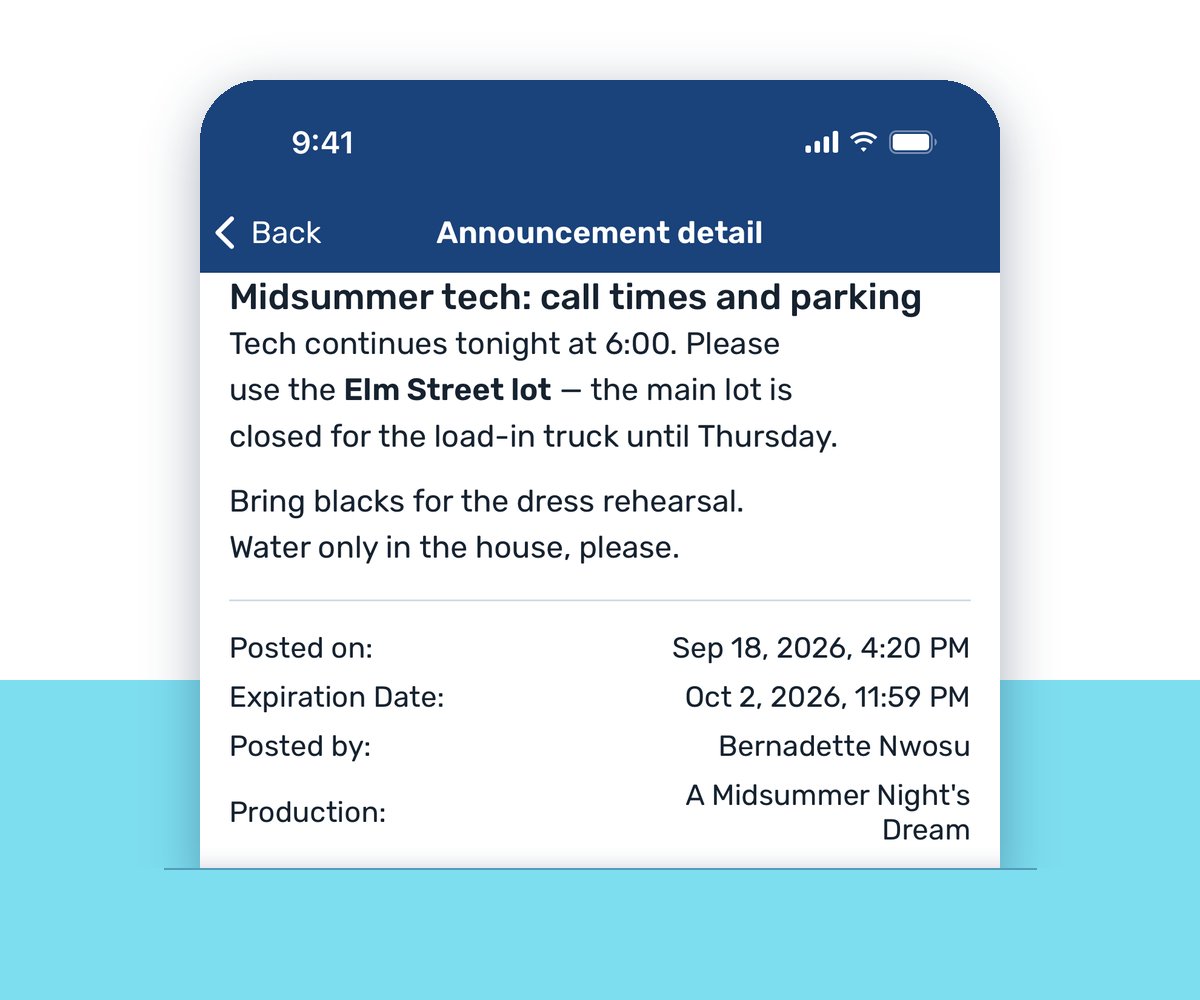
Add a subject and your message, with formatting, web links and even a video.
3. Set when it comes down
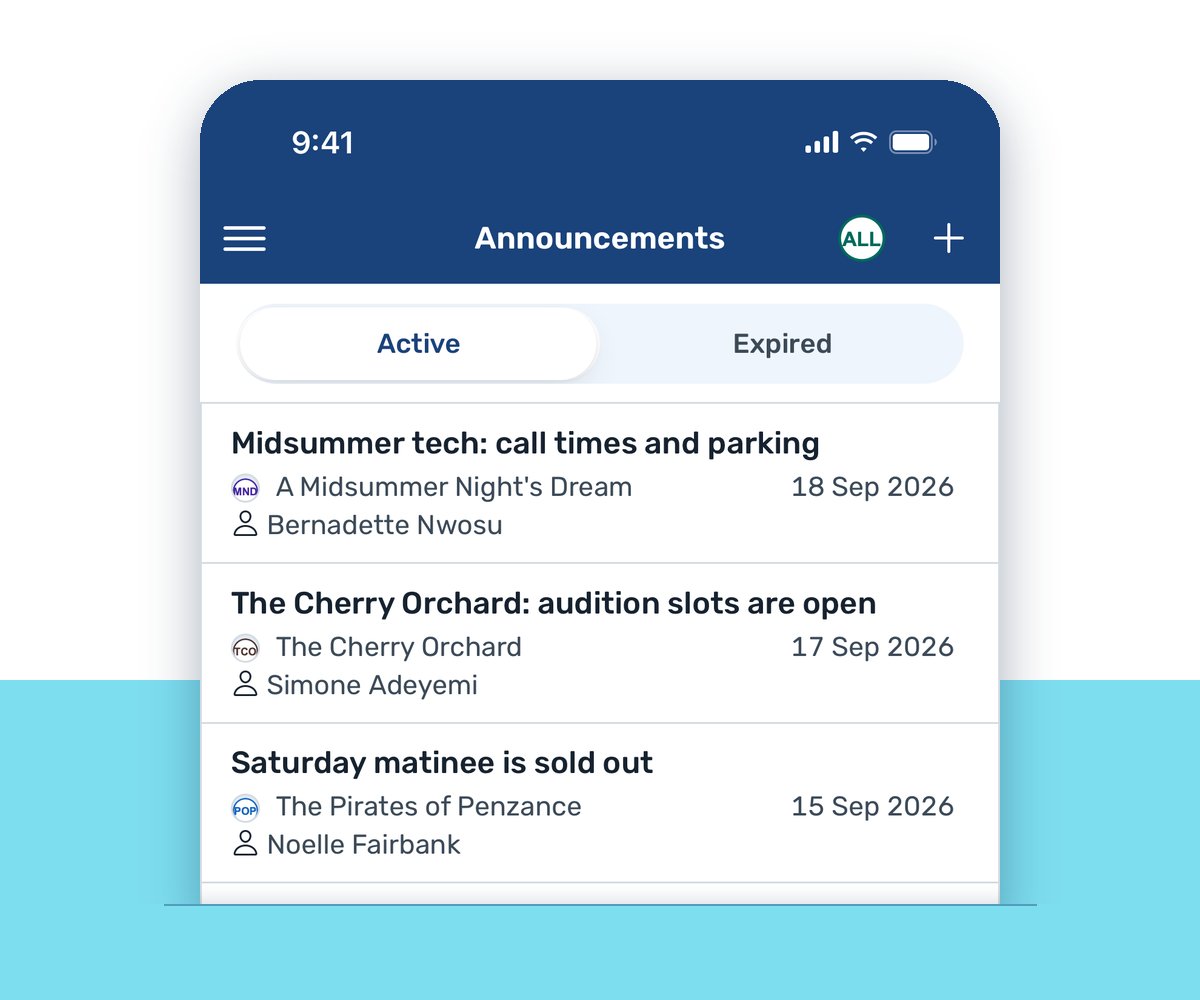
Choose an expiration date and time. Until then it stays on everyone’s Announcements page.
For things people need to find later
A rehearsal schedule policy, a parking reminder, a reminder to bring your own water bottle: announcements are for news the whole company should be able to look up again.
Each one sits in the Active list until its expiration date, then moves to the Expired tab on its own. Nobody has to remember to take the sign down. For a message to particular people instead, send a note to cast and crew.
One show, or the whole building
Post to a single production, a few, or All Productions. An All Productions announcement reaches everyone on your site, including anyone not on a production yet and productions you add while it’s still up.
Everyone it’s for is told when it goes up, by email, in the VirtualCallboard app and, with the TXT messaging add-on, by text, following each person’s own notification settings.
Show it, don’t just say it
Announcements use the same text editor as the rest of VirtualCallboard: bold, lists, tables and web links. Paste a YouTube or Vimeo link and the video plays right in the announcement. It’s a good home for a fight call walkthrough, a choreography reference or a welcome from the director, and unlisted YouTube videos work too.
Need it on the board by the stage door as well? Every announcement has a printer-friendly view.
Good to know
Expired, not gone
Past announcements move to the Expired tab, so you can still look them up.
Ready for the callboard
Print any announcement for the physical board with Printer Friendly.
Change it anytime
Edit or delete your own announcements. Administrators can change anyone’s.
Your company’s choice
Each person chooses how announcements reach them, and admins can keep them out of texts.
Questions
Who can post an announcement?
Anyone whose role allows it. In the standard roles, contributors and managers can post and edit their own, administrators can edit anyone’s, and viewers can read them.
Can people who aren’t on a production see announcements?
Yes, the ones posted to All Productions. Everything else goes only to the productions it was posted to.
What happens when an announcement expires?
It comes off the Active list and moves to the Expired tab, where you can still look it up.
Should I post an announcement or send a note?
Post an announcement for something everyone on a production (or your whole company) should be able to find later. Send a note for a message to particular people or groups.
Can I add a video or a link?
Yes. Links can open in a new tab, and YouTube and Vimeo videos play right in the announcement.
VirtualCallboard is also built for production managers, artistic directors and producers and schools.
More VirtualCallboard features
Notes for Cast & Crew
Send notes to people or groups by email, app and text, the way each person chooses.
Discussion Threads for Your Production
Threaded conversations with files and photos, open only to the people and groups you choose.
Theater Scheduling Software
Build calls by person or group, catch double-bookings and send everyone their own schedule.
Try it free for 30 days
Set up your next production in minutes, with unlimited users. See every feature or compare plans.