
VirtualCallboard feature
Every conflict on the schedule, before you call
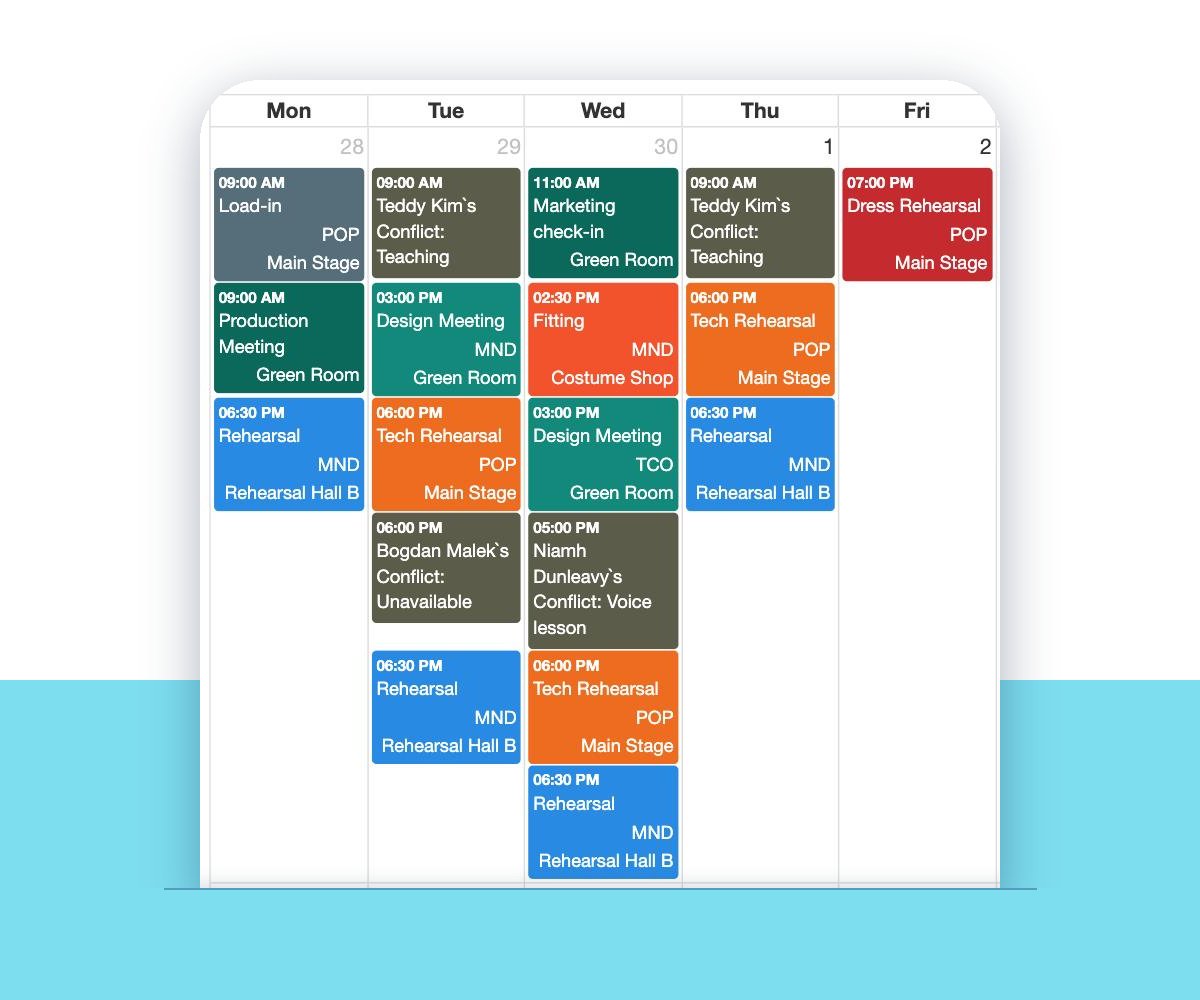
Conflict sheets from auditions get lost, and the class every Tuesday turns up after the schedule is out. In VirtualCallboard, each person enters their own conflicts, and they sit on the rehearsal schedule where whoever’s building calls can see them.
Trusted by theaters, schools and arts organizations since 2006.
How it works
1. People add their conflicts
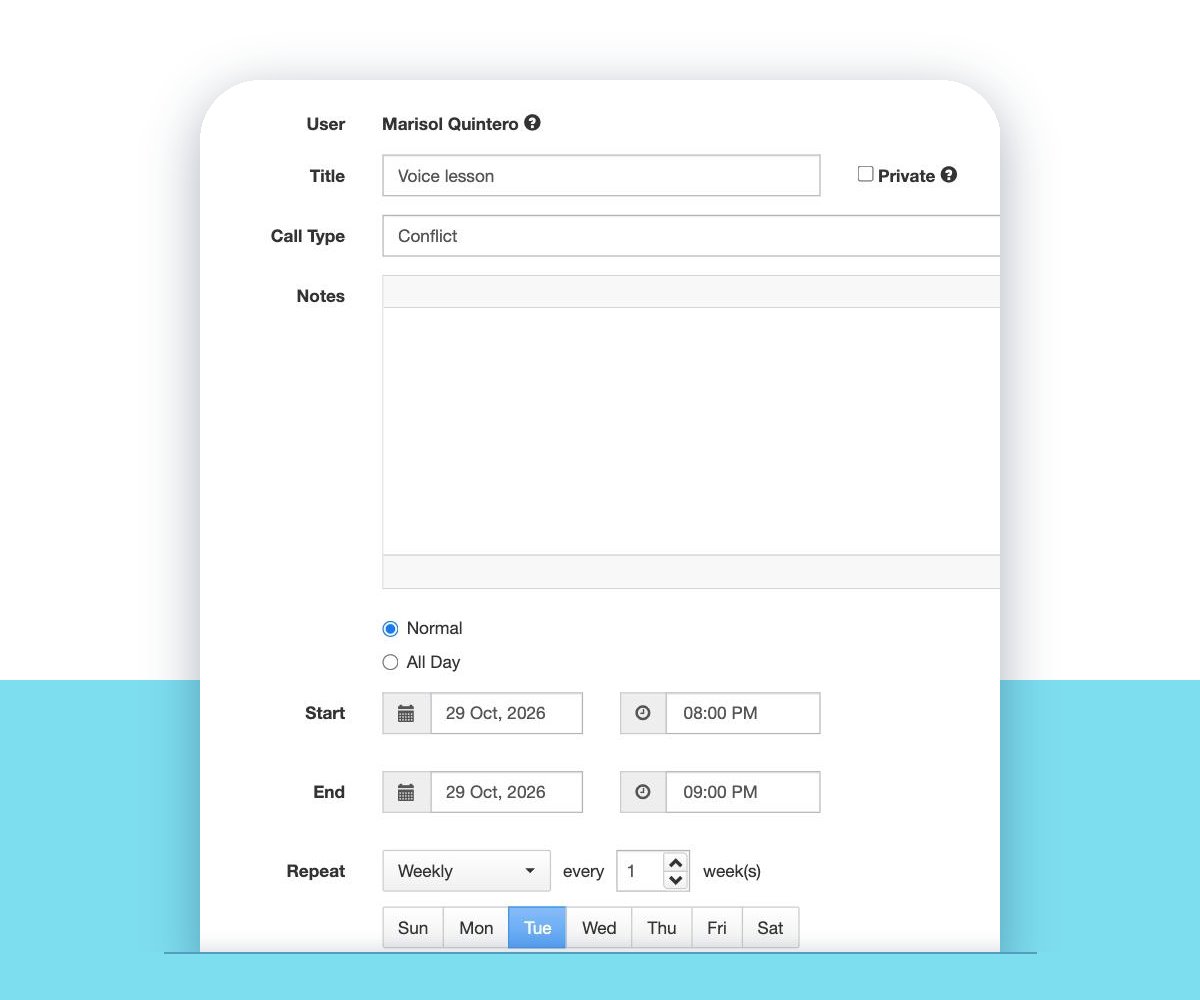
A title, the time or whole days, and Repeat for anything weekly, like a class every Tuesday.
2. They show on the schedule
Conflicts appear on All Calls next to the production’s calls, and managers can be notified when one comes in.
3. You call around them
When you add a call, Find Available Users shows who’s free at that time.
Everyone enters their own
Anyone on the production can add a conflict: a single evening, a few whole days, or a weekly commitment with Repeat. A note tells managers why. If someone already has a call at that time, VirtualCallboard warns them instead of quietly saving it.
When a cast member phones in their availability instead, a manager can enter it for them. Look up anyone’s conflicts for a date range, and the list shows each one whether they entered it or a manager did.
Private when it needs to be
Not every conflict is the company’s business. Tick Private and other people see only that the time is blocked, not the title or the notes.
Roles decide who sees other people’s conflicts on All Calls, so the cast can see the rehearsal schedule without seeing each other’s personal commitments. Each person can also hide conflicts from their own All Calls view.
From conflicts to calls
Conflicts are the starting point for the schedule. Check them on the schedule, use Find Available Users when you add a call, and call around them. Your site decides whether people can enter a conflict over a call they’re already on, and roles can override that.
Managers can be notified each time someone enters a conflict, including by text with the TXT messaging add-on. See how calls come together in rehearsal scheduling.
Good to know
Repeating conflicts
Enter a weekly class once with Repeat, and delete one date or the whole series later.
Entered for someone
Managers can add, edit and delete conflicts for others, except private ones.
Look anyone up
Pick a person and a date range to see every conflict they have.
Not in emailed schedules
Emailed schedules leave conflicts out, so they stay on the site.
Questions
Can actors enter their own conflicts?
Yes. Everyone can add their own, and a manager can enter them for someone who phones them in.
Can other cast members see my conflicts?
That depends on your site’s roles: they can hide other people’s conflicts from the All Calls view. Mark a conflict Private and nobody else sees its title or notes, only that the time is blocked.
Does a conflict stop someone from being scheduled?
It shows the scheduler that the time is blocked before they call you, and Find Available Users shows who’s free. Whoever builds the schedule makes the final call.
Can people add a conflict when they’re already called?
They get a warning first. Your site decides whether they can save it anyway, and roles can allow it for some people.
Are managers told when someone enters a conflict?
They can be. Turn on notifications for new conflicts and the production’s managers hear about each one by email, in the app or, with the TXT messaging add-on, by text.
VirtualCallboard is also built for stage managers, community theaters and schools.
More VirtualCallboard features
Theater Scheduling Software
Build calls by person or group, catch double-bookings and send everyone their own schedule.
Attendance & Sign-In Sheets
Print a sign-in sheet, mark who was late or excused, and total everyone’s hours.
Stage Management App for iPhone & Android
iPhone and Android apps with the schedule, notes and push notifications in everyone’s pocket.
Try it free for 30 days
Set up your next production in minutes, with unlimited users. See every feature or compare plans.