
VirtualCallboard feature
Tonight’s notes
to the right people
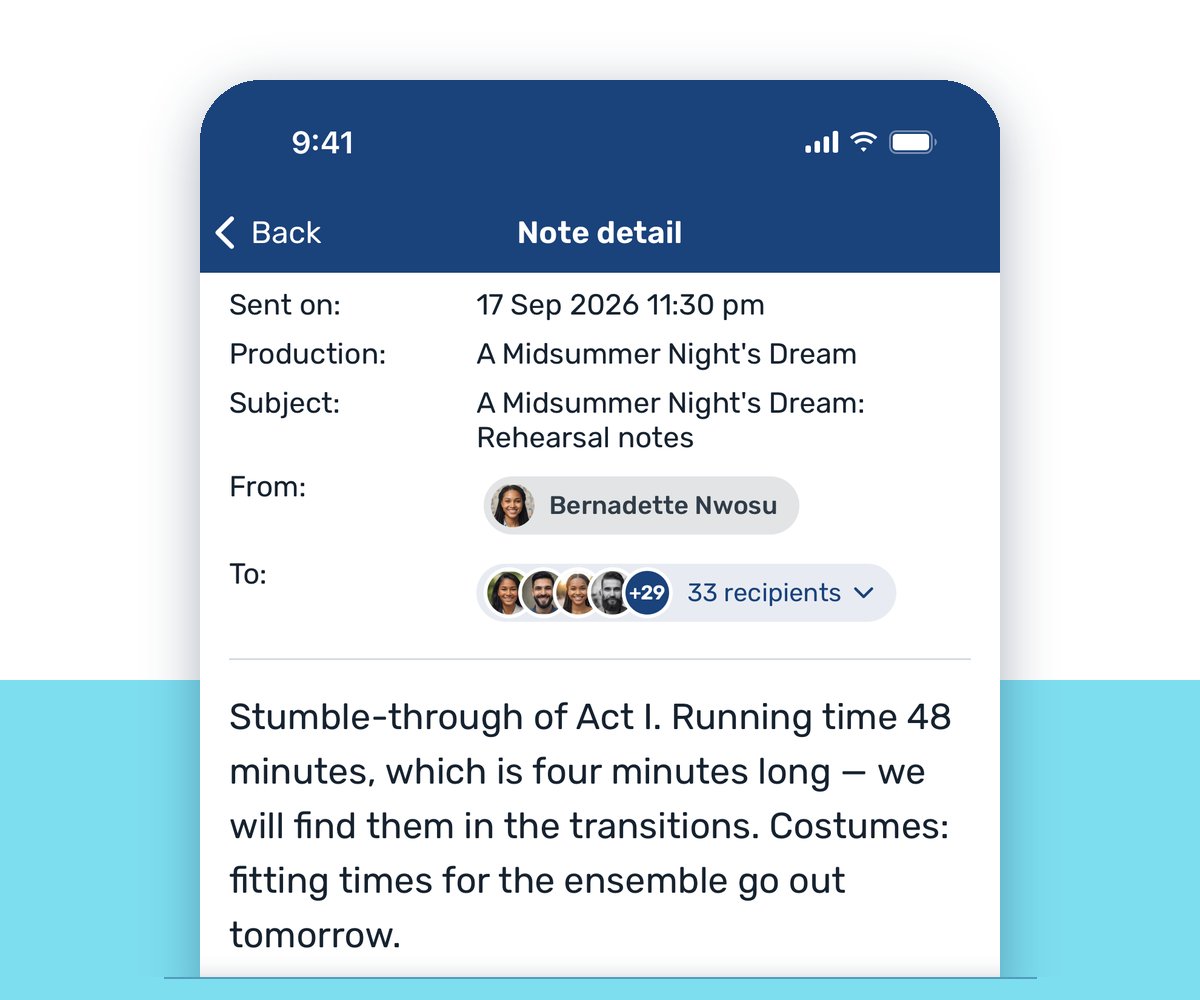
A note that sits in a group text or a buried inbox hasn’t really reached anyone. VirtualCallboard sends each note to the people and groups you pick, by email, in the app and, with the TXT messaging add-on, by text. Before you send, it shows you exactly who it will reach.
Trusted by theaters, schools and arts organizations since 2006.
How it works
1. Pick who it’s for
Choose a production, then tick people or whole groups, like the cast, an understudy group or the costume department.
2. Write the note
Add a subject, format the message and attach a file if you need to. Before you send, a summary shows how many people it will reach by email, app and text.
3. It reaches them
The note lands in each person’s Message Center and Notes & Email, and goes out the ways they’ve chosen to hear from you.
Know who it will reach
Before a note goes out, the send summary shows how many people it will reach by email, app and text, and who won’t get anything, and why. You find out before you send, not after.
Every note also lands in each person’s Notes & Email on the website, where it stays marked as new until they open it, so a note doesn’t slip past between rehearsals.
On the phone already in their pocket
Each note goes out by email and as a VirtualCallboard app notification. With the TXT messaging add-on, it can go out as a text too, for people who never open their email at a fitting.
Everyone chooses for themselves. On their Notifications page, each person decides how notes reach them: email, text, app or all three. If someone replies to the email, the reply comes straight to you.
A direct line to management
Cast and crew don’t have to hunt for an email address to reach you. Send Message to Manager on the home page goes to the managers you’ve chosen for the production, and lands in their Notes & Email like any other note.
Notes are for a message to particular people. For something the whole company should find later, like a parking reminder, post one of your production announcements instead.
Good to know
Only for the people you pick
A note is visible only to the people it’s sent to. Administrators don’t see it unless you include them.
Attach a file
Add a script page, a fitting schedule or a photo to any note, up to 10 MB.
Everyone can send
Every standard VirtualCallboard role can send notes, Viewer included.
Sent works like email
Once a note is sent, each person keeps or deletes their own copy.
Questions
Can I see whether someone has read my note?
No. VirtualCallboard doesn’t track whether an email was opened or a text was read. What it shows you is who a note will reach before you send it: how many by email, app and text, and anyone who won’t get it. On the website, each person’s unread notes stay marked as new until they open them.
Can I unsend or delete a note after it goes out?
No. Notes work like email: once it’s sent, each person deletes their own copy. Deleting it from your Sent Items only clears it from your list.
Do notes go out by text?
Yes, with the TXT messaging add-on, to anyone who has turned on texts for their mobile number. Replies to a text don’t reach anyone, so ask people to answer by email or in VirtualCallboard.
What happens if someone replies to a note’s email?
The reply goes to the email address on the sender’s account, not back into VirtualCallboard.
Can cast members send notes too?
Yes. Every standard role can send notes, and anyone on a production can use Send Message to Manager to reach its managers.
Should I send a note or post an announcement?
A note goes to the people or groups you choose on one production. An announcement is posted for everyone on one or more productions and stays up until the date you set.
VirtualCallboard is also built for stage managers, community theaters and schools.
More VirtualCallboard features
Company & Production Announcements
Post to one show or the whole company, and set the date it comes down.
Discussion Threads for Your Production
Threaded conversations with files and photos, open only to the people and groups you choose.
TXT Messaging
Text call changes, notes and open calls to everyone who asks for texts.
Try it free for 30 days
Set up your next production in minutes, with unlimited users. See every feature or compare plans.