
VirtualCallboard feature
The new script pages, to the right people
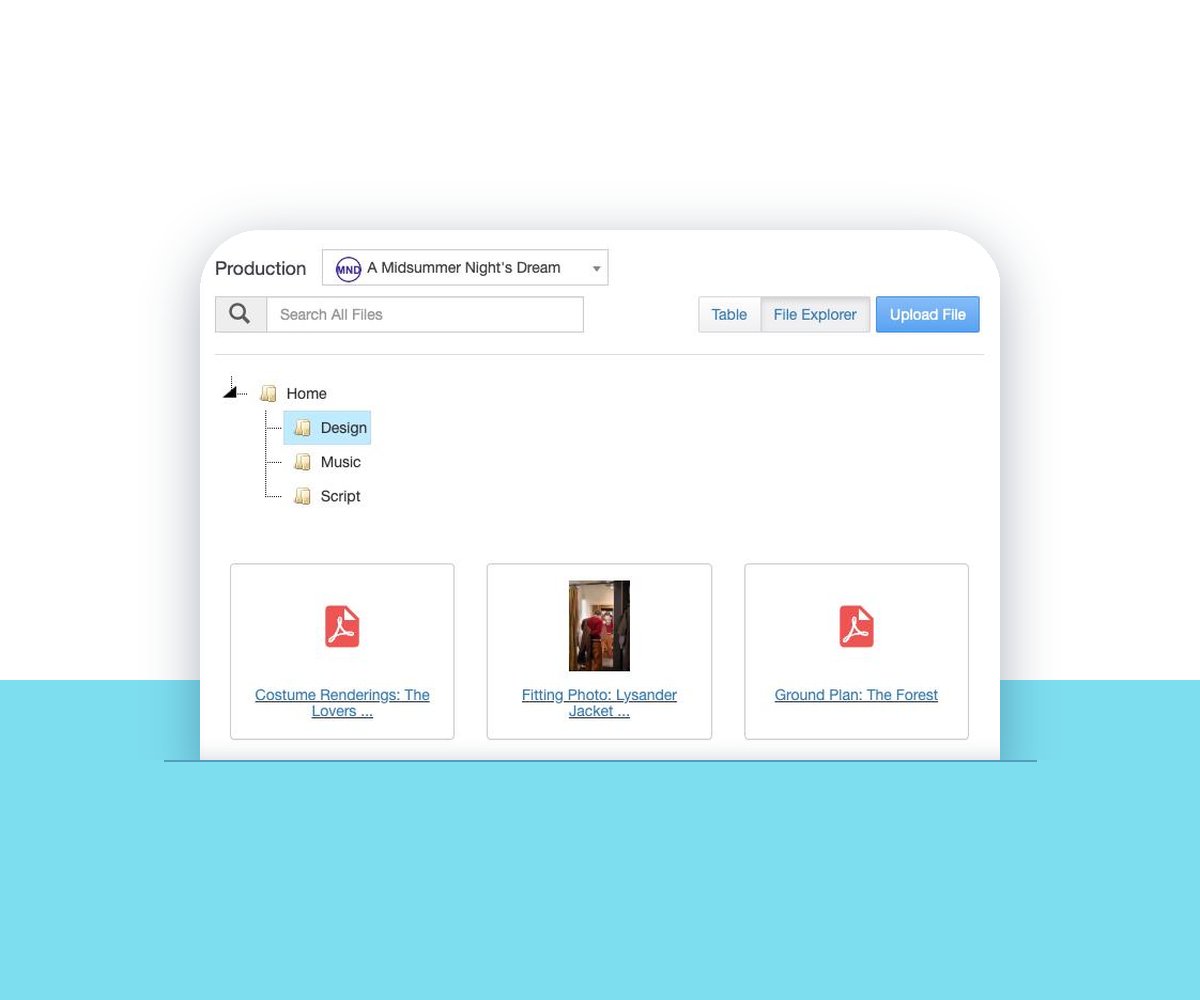
Revised pages, a new ground plan, this week’s rehearsal tracks: every show runs on files, and they shouldn’t live in one person’s inbox. In VirtualCallboard you upload a file once, share it with the production or just the departments that need it, and everyone it’s for is told it’s there.
Trusted by theaters, schools and arts organizations since 2006.
How it works
1. Upload the file
Drag it into File Sharing, give it a name and a description if it helps, and pick a folder.
2. Choose who sees it
Share it with everyone in the production, or only with the groups that need it, like the band or the costume shop.
3. Let them know
Tick Send Email Notification, and each person is told by email, in the app or by text, with a link to the file.
Shared with the people who need it
Each file is shared with one production at a time, either with everyone in it or with specific groups. The orchestra gets the tracks, the designers get the drafting, and the cast isn’t wading through either.
When you send a notification, the upload window shows who will get it. Each person hears about it the way they’ve chosen: email, the VirtualCallboard app, or a text with the TXT messaging add-on. Administrators can also share a file with every production on the site, which suits a company handbook or a building policy.
Folders that match how your company works
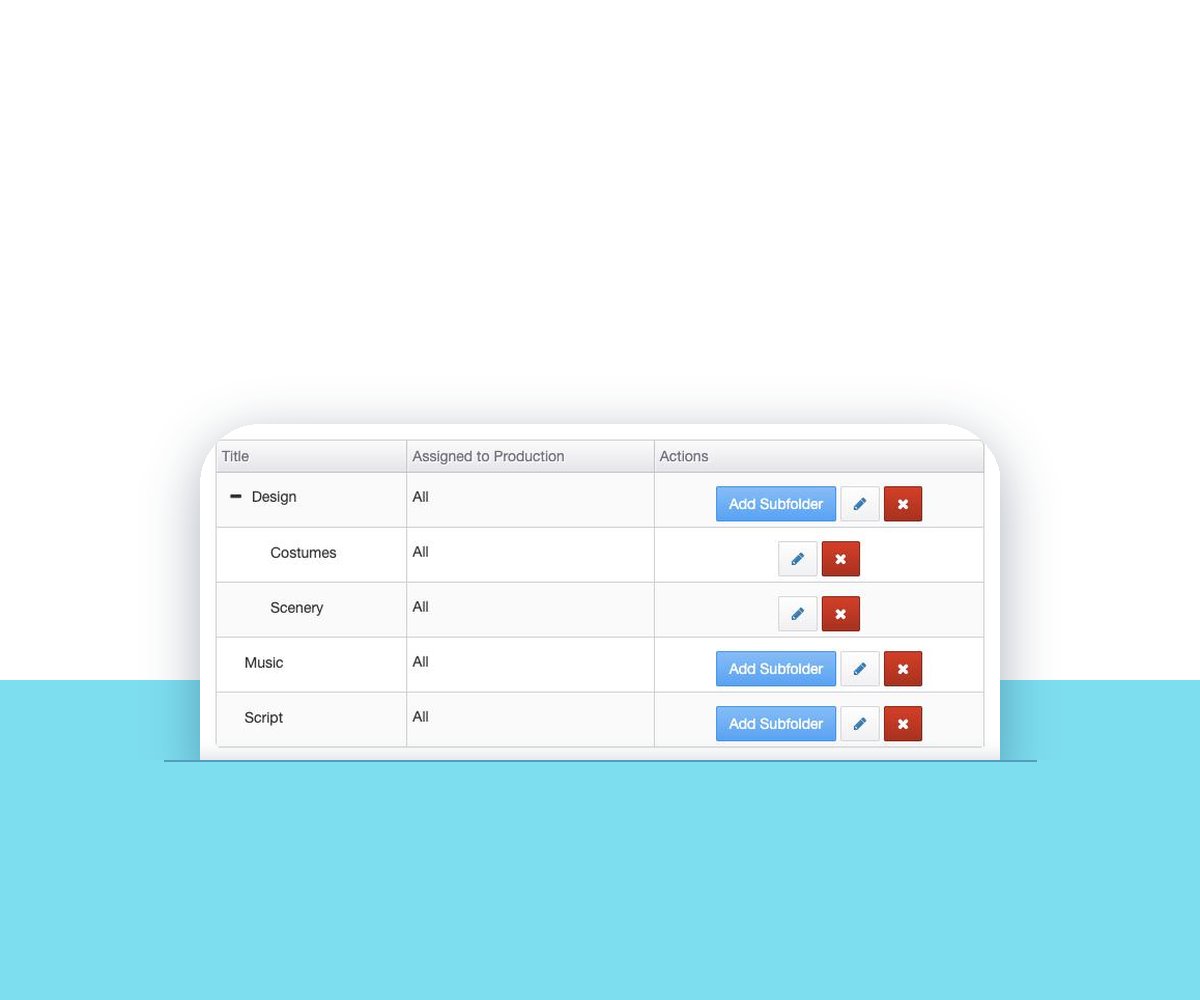
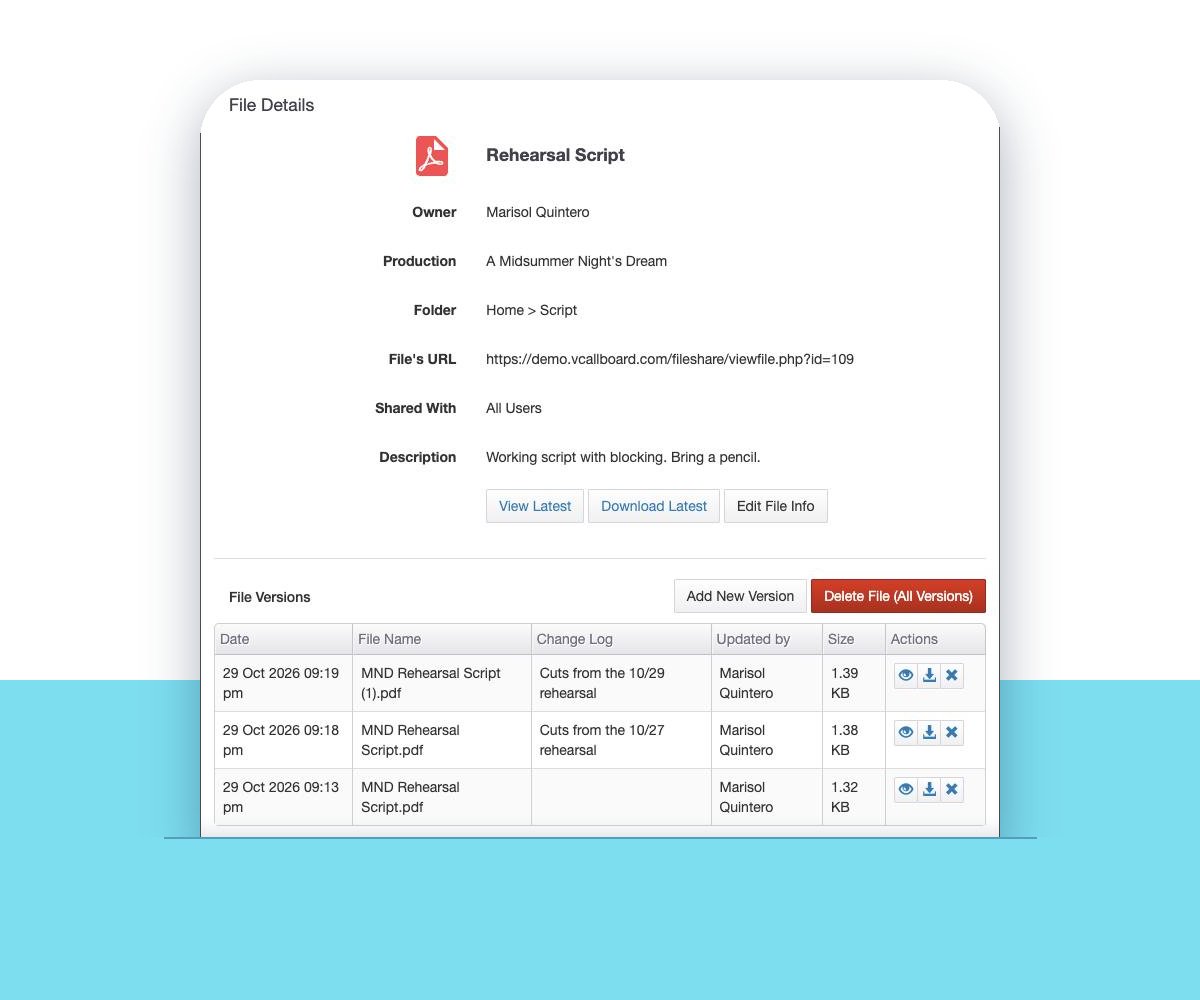
Managers can set up folders for each production, with one level of subfolders inside, so Script, Design and Music each have a home. Files keep their own name and description, and when the script changes you add a new version, while the earlier ones stay in the file’s version list.
Files can go out with a discussion post, too. Attach them while you write, and images show right in the post. More on that in production discussions.
Kept with the show
There’s no limit on how much you store in File Sharing overall, and each file can be up to 50 MB. The person who uploaded a file can edit or delete it, as can anyone with permission to manage that production’s files. Everyone else who can see it can open and download it, but can’t change it.
When the show closes and you archive the production, its files stay with it. People with access to archived productions, usually administrators, can still open them next season.
Good to know
No storage cap
Store as much as you need. Each file can be up to 50 MB.
Versions kept
Add a new version and the older copies stay in the file’s version list.
Read-only for most
Everyone it’s shared with can download it. Only the uploader and file managers can change it.
Archived, not lost
Files stay with a production when you archive it.
Questions
How big can a shared file be?
Each file can be up to 50 MB, and there’s no limit on how much you store overall. Compress or split anything bigger before you upload it.
Can I share a file with just one department?
Yes. Share a file with everyone in the production, or only with the groups you choose, such as the crew or the band.
Will people know a new file is there?
If you tick Send Email Notification when you upload, everyone it’s shared with is told, with a link to the file. They get it by email, in the app or by text, following their own notification settings.
What happens when the script is revised?
Add a new version to the existing file. People find the current one in the same place, and the earlier versions stay in its version list.
Who can delete a shared file?
The person who uploaded it, and anyone with permission to manage all files in that production. Everyone else can open and download it.
Do files disappear when a production is archived?
No. They stay with the archived production, and people who can view archived productions can still open them.
VirtualCallboard is also built for production managers, professional theaters and schools.
More VirtualCallboard features
Discussion Threads for Your Production
Threaded conversations with files and photos, open only to the people and groups you choose.
Company & Production Announcements
Post to one show or the whole company, and set the date it comes down.
Notes for Cast & Crew
Send notes to people or groups by email, app and text, the way each person chooses.
Try it free for 30 days
Set up your next production in minutes, with unlimited users. See every feature or compare plans.